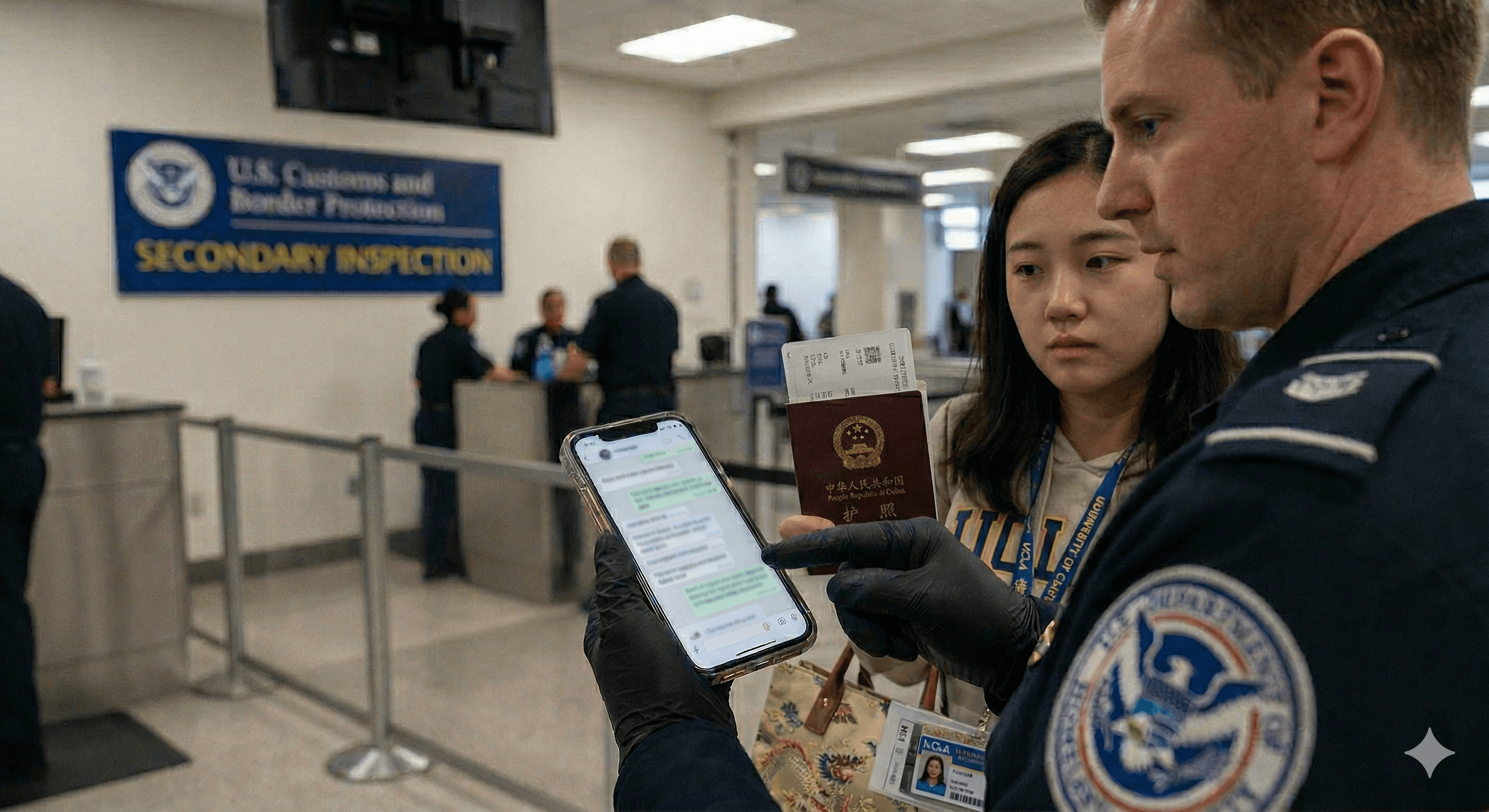
Entering the United States can feel incredibly stressful for immigrants, students, and visa holders. The paperwork is one thing, but increasingly, travelers are anxious about something far more personal: their phones.
From years of family group chats on WhatsApp to work emails and that one meme you forgot to delete, our devices hold our entire lives. So, can U.S. Customs and Border Protection (CBP) officers actually read your messages? Do you legally have to unlock your device? What happens to your privacy the moment you land?
Here is exactly what you need to know about CBP device searches, your digital rights at the border, and how to prepare so you can sleep soundly the night before your flight.
Why Digital Privacy at the Border is Different
When you arrive at a U.S. port of entry (an airport or a land crossing), you enter a unique legal zone. The U.S. government operates under a "border search exception," which gives them much broader authority to search people and belongings than they have inside the country. Today, CBP considers your smartphone, laptop, and even your smartwatch as part of your "belongings"—effectively treating your digital device like an open suitcase.
The Big Question: Can CBP Search Your Phone?
Yes. Under updated CBP policy, officers have explicit authority to inspect electronic devices. These searches generally fall into two categories:
Basic Search: An officer manually taps through your unlocked device to review locally stored information. They do not need a warrant or even "reasonable suspicion" to do this; it is entirely at their discretion.
Advanced (Forensic) Search: An officer uses external equipment to physically connect to your device to copy, extract, or analyze its data. This requires supervisory approval and "reasonable suspicion" of a legal violation or a national security concern.
Do You Have to Unlock Your Screen?
This is where things get complicated—and where your immigration status matters immensely.
Traveler Status | What Happens if You Refuse to Unlock? |
U.S. Citizens | Cannot be denied entry to the U.S. However, refusing can lead to hours of delay in secondary inspection, and CBP can confiscate your device for days or weeks. |
Visa Holders & Tourists | You risk facing serious immigration consequences, including your visa being canceled and being denied entry into the United States entirely. |
Green Card Holders | Cannot be denied entry outright without a hearing, but you can face extreme delays, intense questioning, and device confiscation. |
In practice, because missing a connecting flight or risking a visa cancellation is devastating, most non-citizens comply with requests to unlock their devices.
Can They Read Your WhatsApp Messages?
Yes, but with a major catch.
If you unlock your phone and hand it over, officers can read anything that is locally stored and visible on the device. This includes your WhatsApp text threads, downloaded photos, and voice notes.
A common misconception is that because WhatsApp is an "encrypted" app, your messages are hidden. Encryption protects your messages while they are traveling between phones, but it does not protect your messages from an officer physically holding your unlocked device.
However, CBP policy clearly states they cannot intentionally search cloud-only data. Because of this, officers are instructed to put your phone in Airplane Mode before searching it.
What they can see: Messages and files already downloaded and stored on your phone.
What they cannot see: Backups stored only in iCloud or Google Drive, or new messages that haven't loaded yet.
Device Hygiene: A Pre-Flight Checklist
Think of this as routine "digital housekeeping." You aren't hiding wrongdoing; you are simply protecting your fundamental privacy. Practicing good device hygiene before you travel can make your border crossing infinitely smoother.
Here are a few practical steps to take before heading to the airport:
Log Out & Remove: Log out of nonessential apps or simply delete apps you don't absolutely need for your trip (you can always reinstall them once you pass customs).
Clear the Clutter: Archive sensitive chats and delete unnecessary downloads, old travel documents, or sensitive work files. Don't forget to empty your "Recently Deleted" or "Trash" folders.
Back It Up: Securely back up your phone to the cloud before you travel so you don't lose anything important.
Disable Biometrics: Temporarily turn off FaceID or fingerprint unlock. Requiring a typed passcode to open your phone provides an extra layer of deliberate security.
What Are Your Rights, Realistically?
While privacy protections exist, the reality of border crossings heavily favors government authority. The absolute safest approach if you are pulled into secondary inspection is to stay calm, remain polite, and answer questions honestly. Arguing about your constitutional rights at the customs booth rarely ends well, especially for non-citizens.
The Bottom Line
Your phone is now just as much a part of your border experience as your passport. Knowing exactly how CBP device searches work allows you to prepare thoughtfully rather than panic in the moment.
With a little preparation, you can protect your privacy and ensure a smooth arrival. At Immplify, we're here to provide clear guidance, practical tools, and real answers—so you can cross borders feeling informed, confident, and ready for your new life in the U.S.
Immplify provides general information to help you navigate U.S. immigration and settlement. This is not legal, tax, or financial advice. For decisions specific to your situation, please consult a licensed attorney or qualified professional.